Backspace
Backspace is your personal space in Outer Space: a pocket of space on the reverse side of the map, with five project portals you curate, your market favorites and your stats. Your profile picture and name, shown on your pilot card, are covered in Profile.
Enter your room
- While flying, select Backspace in the menu on the right. When asked Go to Backspace?, select Go. Your ship dives through a gravity passage to the reverse side of the map.
- Or use the Backspace portal in the Core Zone.
When you leave, your ship comes back to the exact spot where you entered.
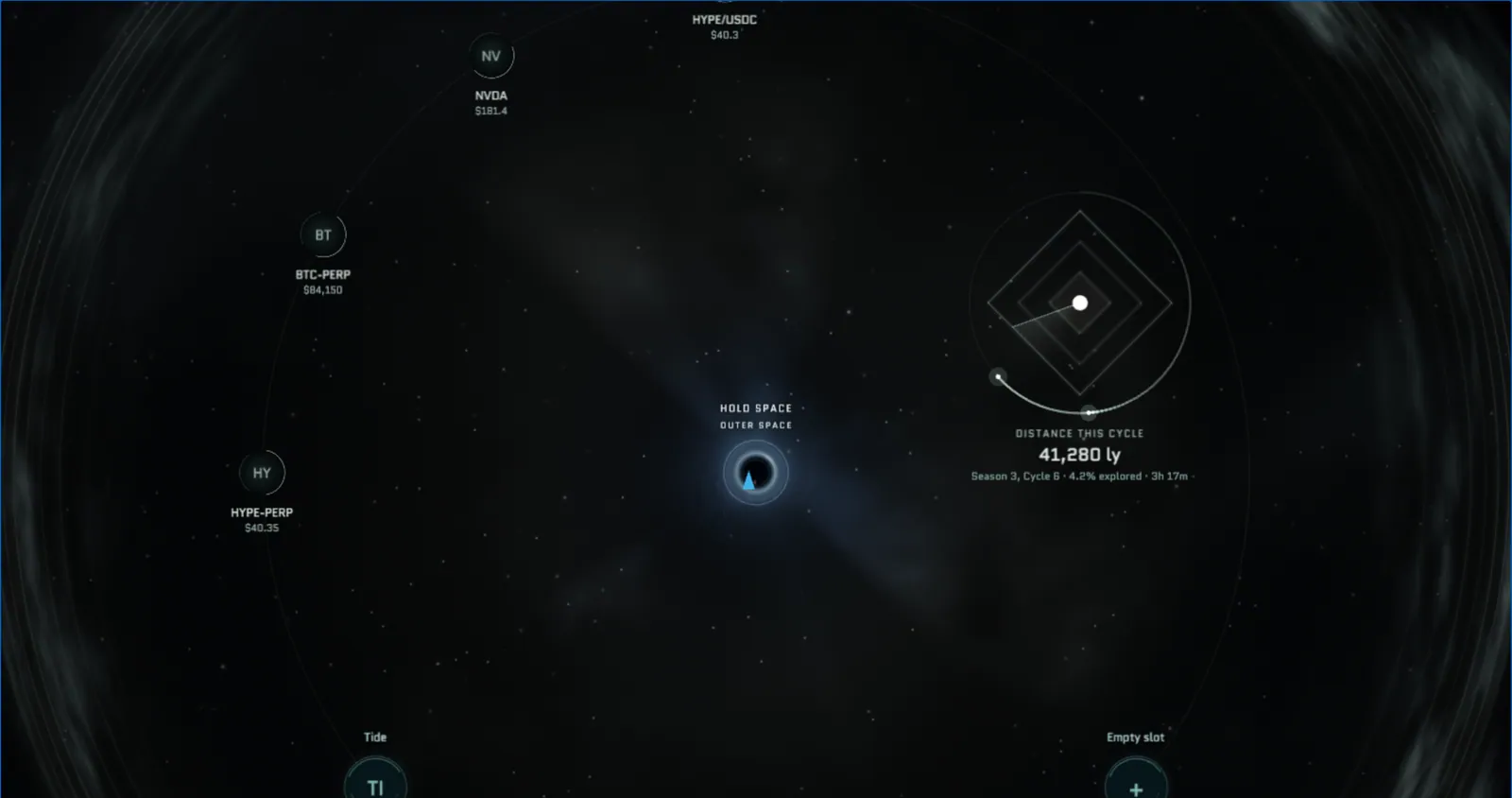
What's in the room
| Element | What it does |
|---|---|
| Return hole | Glows with the color of the Zone you came from. Hold Space over it to return to Outer Space, or select Return in the menu. |
| Market favorites | Up to six of your favorite markets and their prices float around the room |
| Distance chart | Your distance this Cycle, map explored and flight time. Hold Space in front of it to open your Engagement Stats. |
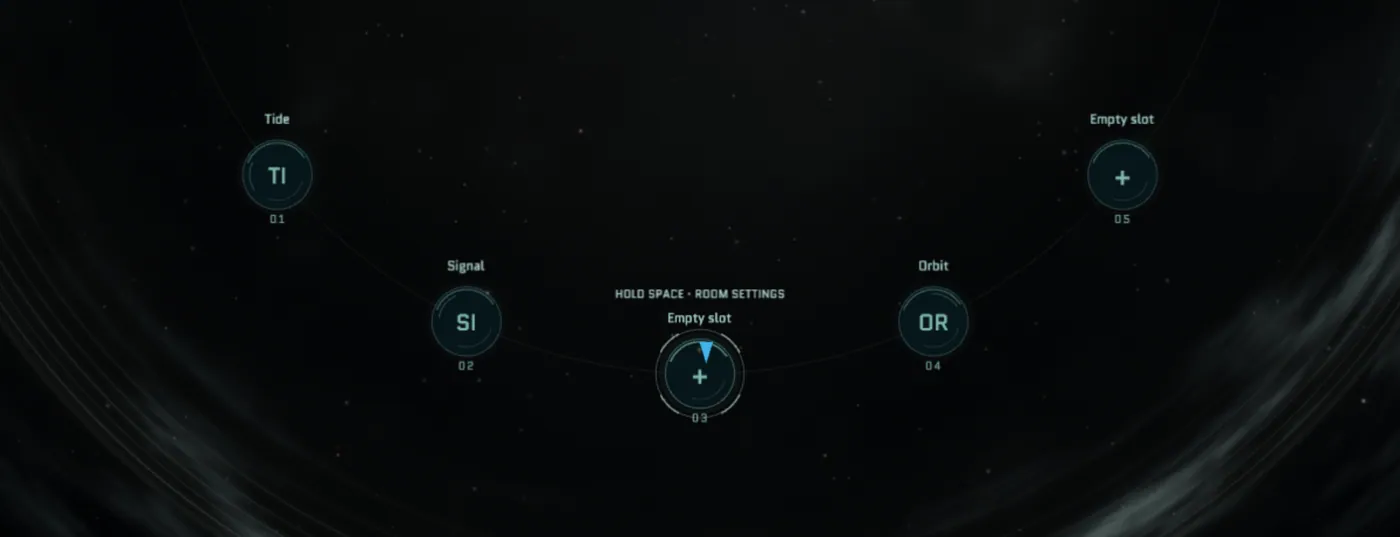
| Five project portals | The projects you've chosen to feature, along the lower arc |
The menu in your room has Shop, Journey, for this Cycle's stats, and Return. Press Z or scroll to zoom, and press T to switch the room's theme between Deep void, Aurora and Ember. Your browser remembers the theme you pick.
Curate your portals
Your room has five project portals. Fly up to a portal and hold Space for 1.5 seconds, or click it, to open its settings:
- Search the ecosystem catalog by name or description, or filter by category.
- Select a project to preview it.
- Select Apply to save. You can also replace a project or clear a portal.
Each project can be featured only once in your room. Visitors can open your portals and explore the projects you've chosen, but only you can change them.
Engagement Stats
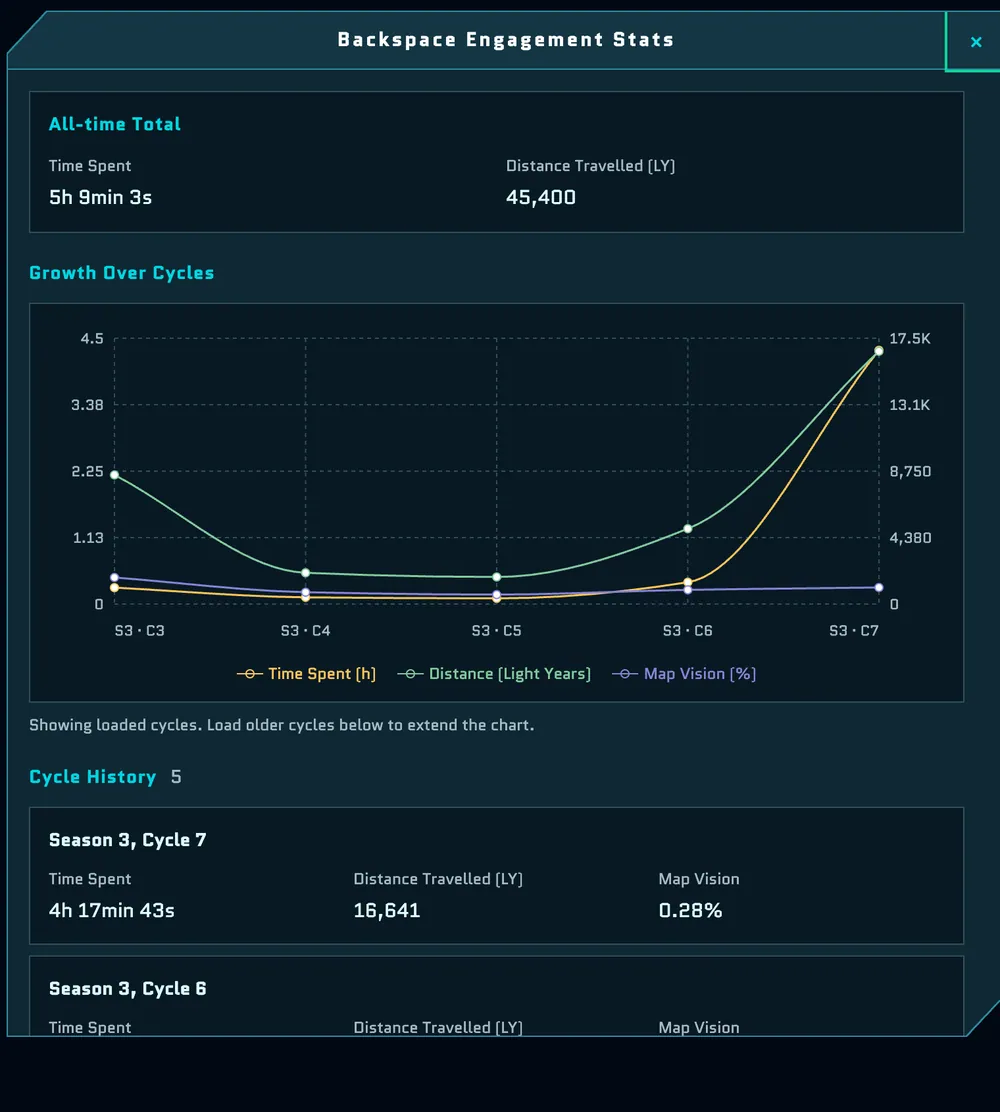
Backspace Engagement Stats track how you play over time:
- All-time Total: time spent and distance travelled, in light years;
- Growth Over Cycles: a chart of time spent, distance and map vision per Cycle;
- Cycle History: your time spent, distance and map vision for each Cycle. Select Load older cycles to see further back.
Visit other pilots
When a pilot finds a Key, a portal named after them, such as "Mira's Backspace", appears where they found it for the rest of the Cycle. Fly in to visit their room, explore the projects they've featured and open their Engagement Stats and Journey. Your minimap marks other pilots' Backspaces.