Staking
HypurrCorea is Spacebar's main validator on Hyperliquid. Staking HYPE with HypurrCorea helps secure the Hyperliquid network and supports Spacebar.
HypurrCorea in Outer Space
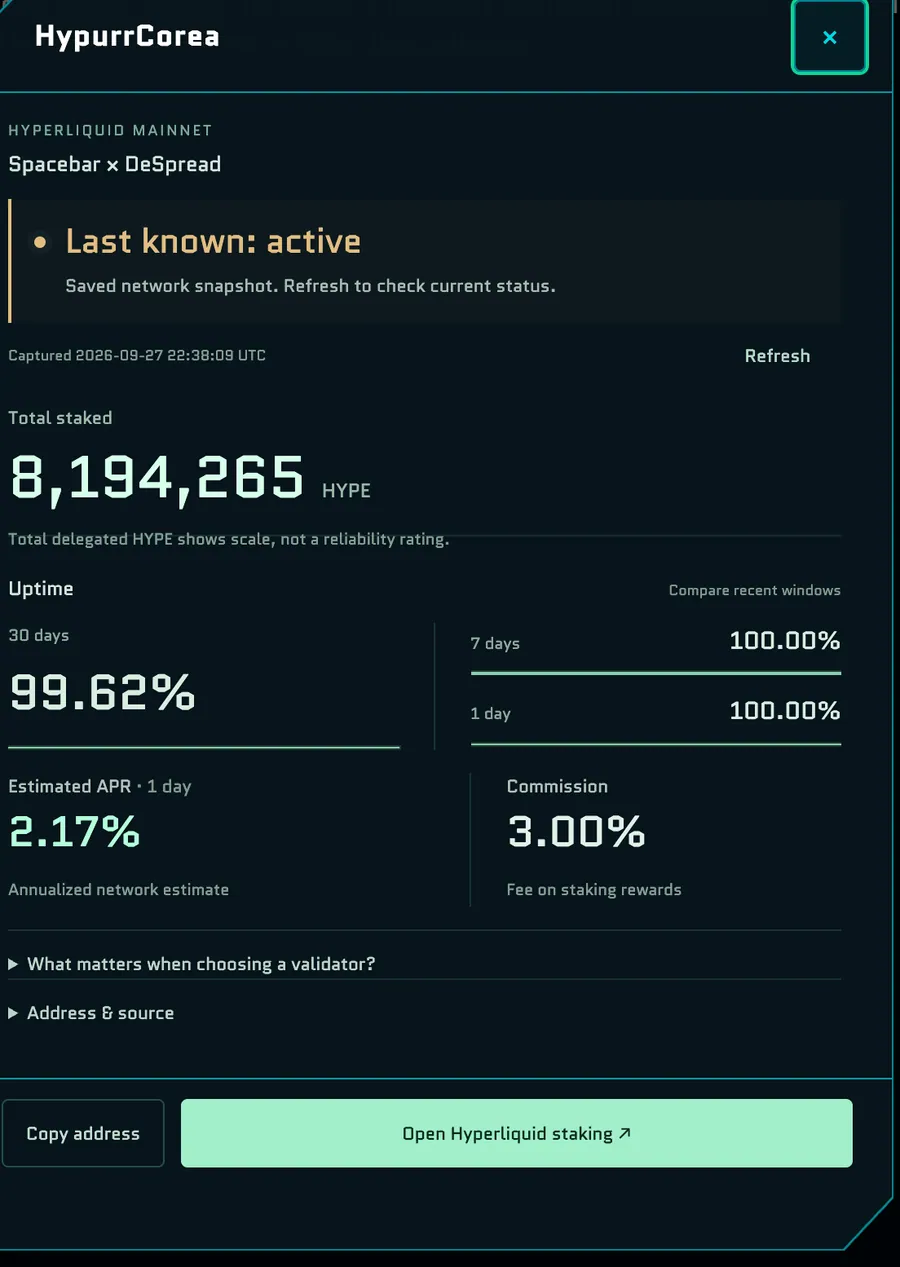
There are two ways to open the HypurrCorea card:
- The Staking portal in the Core Zone.
- Validator boards in flight: every four to seven minutes of active flight, a HypurrCorea board appears ahead of you for about three minutes. Fly into it and hold Space, or click it.
The card shows live data from Hyperliquid mainnet:
- Status and total HYPE staked
- Uptime over the last 30 days, 7 days and 1 day
- Estimated APR and commission
Its buttons are Copy address, Open Hyperliquid staking ↗ and Refresh. Open Address & source for the validator's address and Visit HypurrCorea ↗.
How to stake with HypurrCorea
Staking uses real HYPE on Hyperliquid mainnet
Staking doesn't happen inside Outer Space or on testnet. You stake HYPE on Hyperliquid itself. Staking to a validator has a 1-day lockup, and unstaking takes 7 days. Read Hyperliquid's guide before you stake.
- Open the HypurrCorea card.
- Select Open Hyperliquid staking ↗ to go to Hyperliquid's staking page.
- Choose HypurrCorea as your validator and stake HYPE from your staking balance.
For each step, see Hyperliquid's guide How to stake HYPE.