Core Zone
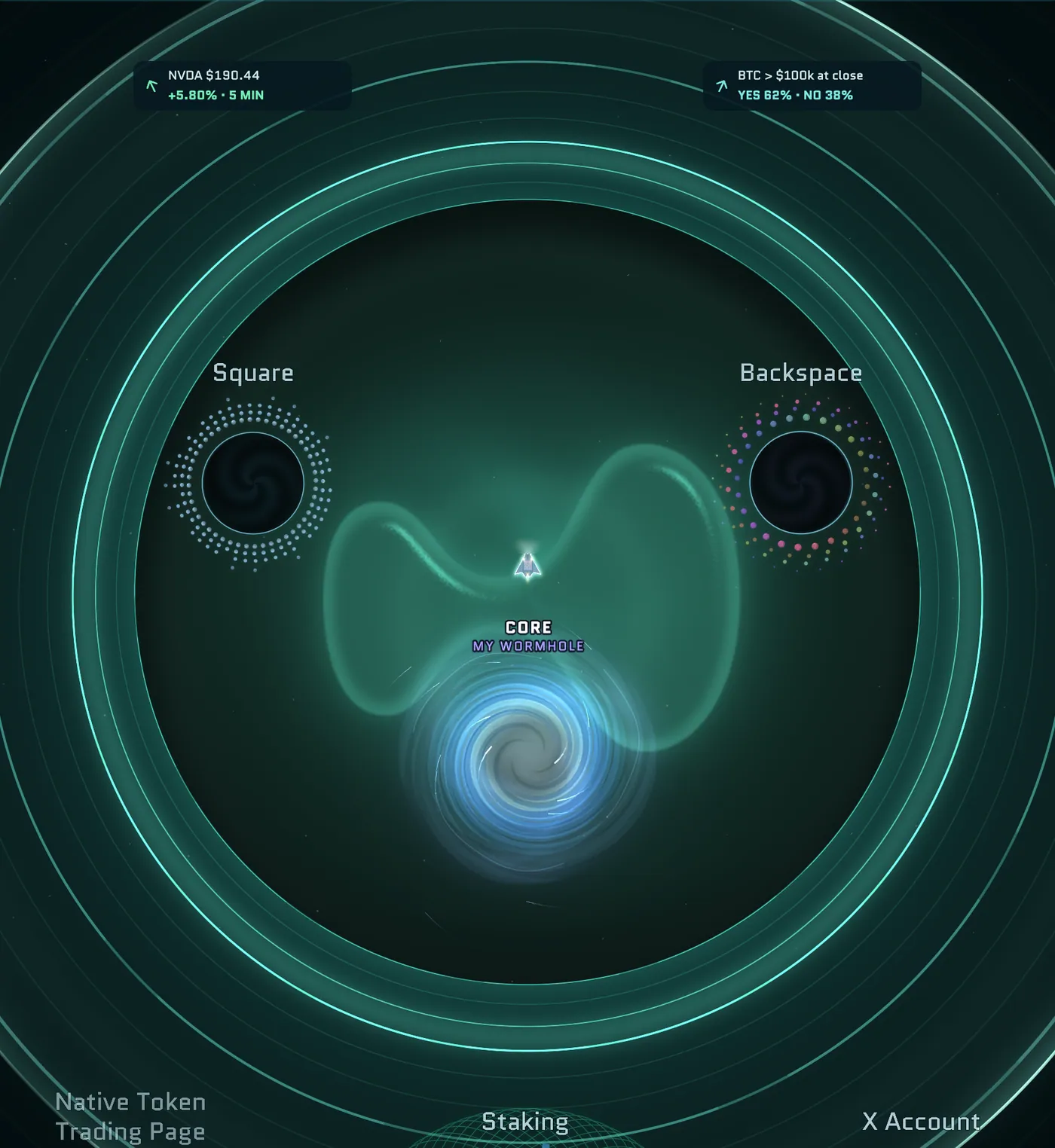
The Core Zone is the hub at the center of Outer Space and a living map of the Hyperliquid ecosystem. It covers the four central triangles of the map, and every pilot starts and respawns here. The eight Mines and most of the game planets are inside it too.
A safe zone
- There's no Zone damage, and your ship repairs itself while you're inside.
- No enemies or Capsules spawn here, but a Key can.
- The Core has its own wormhole point, so you can travel back quickly. See Wormholes.
Portals
Fly into a portal and hold Space for 1.5 seconds. The Ecosystem, Backspace, Vault, Voting, Square and User Mod portals also open with a click. The prompt tells you where the portal goes: Opens in game, Opens right menu, Opens a new tab ↗, Leaves the game or Coming soon.
Project portals updated in the last seven days glow warm red, and their prompt says NEW, until you visit them.
Project portals
Projects are grouped by category, with up to six categories of three portals each. Team Spacebar picks the projects that best represent the ecosystem, and any free slots are filled with other listed projects. A project portal opens a project card in the game with:
- the project's description and categories;
- how many pilots marked it safe or reported it, if any have;
- links to its Website, Docs, X and Discord;
- View details & discussion →, which opens the project in the Ecosystem panel.
Before a project link takes you out of Outer Space, the card asks you to confirm. You can tick Don't show this again this season to skip this notice for a while.
Other portals
| Portal | Where it goes |
|---|---|
| Featured | A spotlight project, chosen by Team Spacebar |
| Ecosystem | The Ecosystem panel in the menu on the right |
| Native token | HYPE on Hyperliquid's trading app, in a new tab |
| X | Hyperliquid's official X account, in a new tab |
| Staking | The HypurrCorea validator card. See Staking. |
| Vault | The Vault window, "State Treasury". See Vault. |
| Voting | The Voting window, "Core Governance". See Voting. |
| Square | The Squares menu, showing your Main Square's image. See Squares. |
| Backspace | Your Backspace room. See Backspace. |
| User Mod Outerspace | User Mod. See User Mod. |
| HypurrCorea News | HypurrCorea's news site, in a new tab after you confirm the address |
Market panels
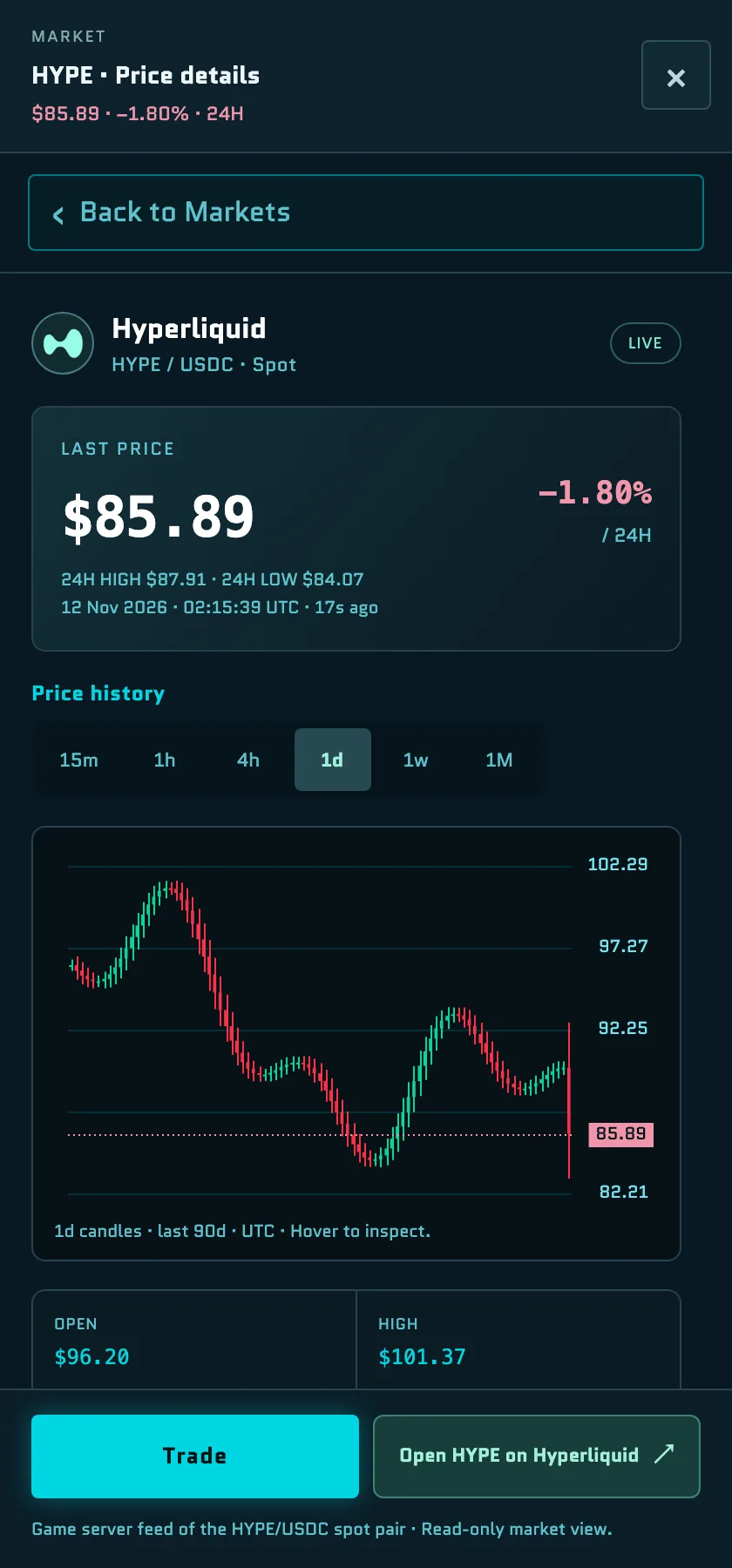
Two panels in the Core Zone show live market data. Click a panel, or hold Space next to it, to open its details in a side panel.
- HYPE: last price, 24-hour change, a candle chart from 15 minutes to 1 month, and Open HYPE on Hyperliquid. Trade opens HYPE/USDC Spot in the Markets menu with the order sheet. See Trade in the game.
- HIP-3 / HIP-4: activity across Hyperliquid's builder-deployed perp markets (HIP-3) and outcome markets (HIP-4), such as 24-hour volume, open interest, fees and open markets.
Market portals also appear around the Core Zone. See Markets.