Shop & Wormholes
Global Shop
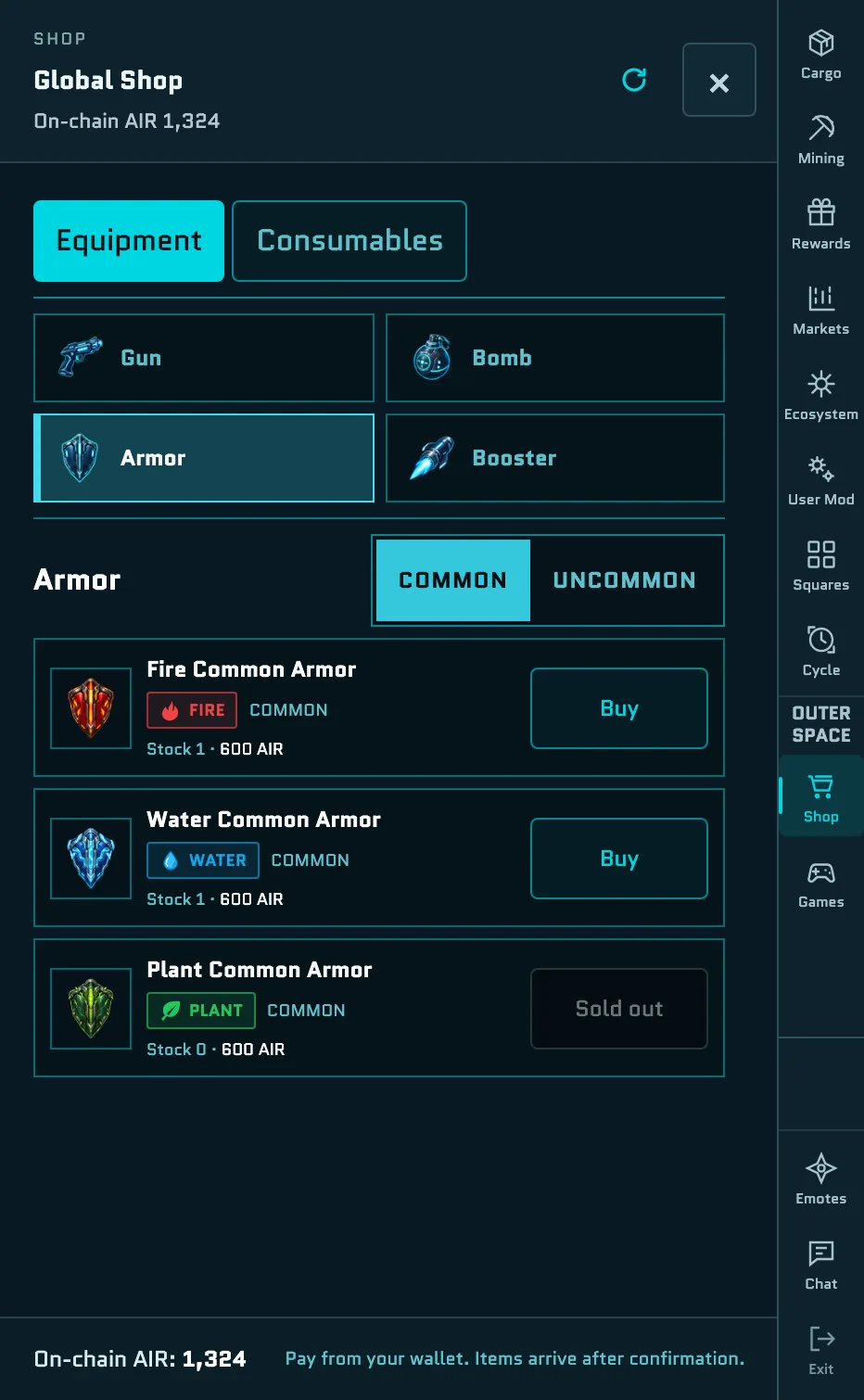
Open Shop in the menu on the right. It's there while you fly, in your Backspace room and in the Cycle view. Items arrive after the transaction confirms. See Approving a transaction.
The Shop has two tabs, Equipment and Consumables:
| Tab | Category | Items | Price |
|---|---|---|---|
| Equipment | Common | Laser Gun · Bomb · Armor, each with a Fire, Water or Plant trait | 500 · 800 · 600 AIR |
| Equipment | Uncommon | Laser Gun · Bomb · Armor, with a trait or none · Booster | 2,500 · 4,000 · 2,000 · 600 AIR |
| Consumables | Heal | Heal 100 · Heal 200 · Full Restore | 200 · 400 · 1,000 AIR |
| Consumables | Refill | Bullet Ammo · Bomb Ammo · Booster Charge | 200 · 500 · 150 AIR |
| Consumables | Tickets | Wormhole Ticket · Game Ticket | 300 AIR · 0.50 USDC |
- On the Equipment tab, choose Gun, Bomb, Armor or Booster, then COMMON or UNCOMMON. Laser Guns, Bombs and Armor come with a Fire, Water or Plant trait, and Uncommon ones also come with no trait. See Combat & Gear.
- The starter kit isn't for sale. The Common Laser Gun, Bomb, Armor and Booster with no trait are the free kit you get every Cycle, so the Shop doesn't sell them. The only Booster for sale is the Uncommon one.
- Stock is your own. The Stock column shows how many more you can buy this Cycle, such as 100 Heal 100s or 67 Wormhole Tickets. You can buy one of each piece of equipment per Cycle. Game Tickets have no limit.
- Everything except Game Tickets is paid in AIR from your wallet. The first time, your wallet may ask you to approve AIR spending.
- You can have one payment open at a time. AIR purchases aren't accepted in the last minute of a Cycle.
Purchases last for the current Cycle
Your equipment and supplies reset when a new Cycle begins, including anything you bought. Game Tickets are the exception: they don't expire or reset.
Game Tickets
A Game Ticket is your entry to one Ranked run in any of the games that have Ranked play. One balance is shared by every Ranked game.
- Price: 0.50 USDC per ticket. Select Buy, choose 1 ticket, 5 tickets or 10 tickets (0.50, 2.50 or 5.00 USDC), and confirm the USDC payment in your wallet.
- Paid in USDC on HyperEVM testnet, the only Shop item that isn't paid in AIR. See Account & Wallet.
- No expiry. Game Tickets don't expire or reset with the Cycle.
- Your balance is shown in Cargo → Tickets, which links you to the Shop when you have none, and in the lobbies of the four games with Ranked play.
Game Tickets are also sold in some Mod Shops, at the same price.
Mod Shops
While a User Mod is running, its shops appear in their Zones. When you're in a shop's Zone, it's marked in the world and on your minimap with how many items it sells. Fly within range and select it to open the Mod Shop, which lists the shops in your Zone.
- Mod Shops sell Uncommon equipment, supplies and Game Tickets, at prices the Mod's creator chose within set limits. See Shop prices.
- Game Tickets cost 0.50 USDC each, in quantities of 1, 5 or 10. Everything else is paid in AIR from your wallet.
- If you're too far away, the button reads Move closer.
Cargo
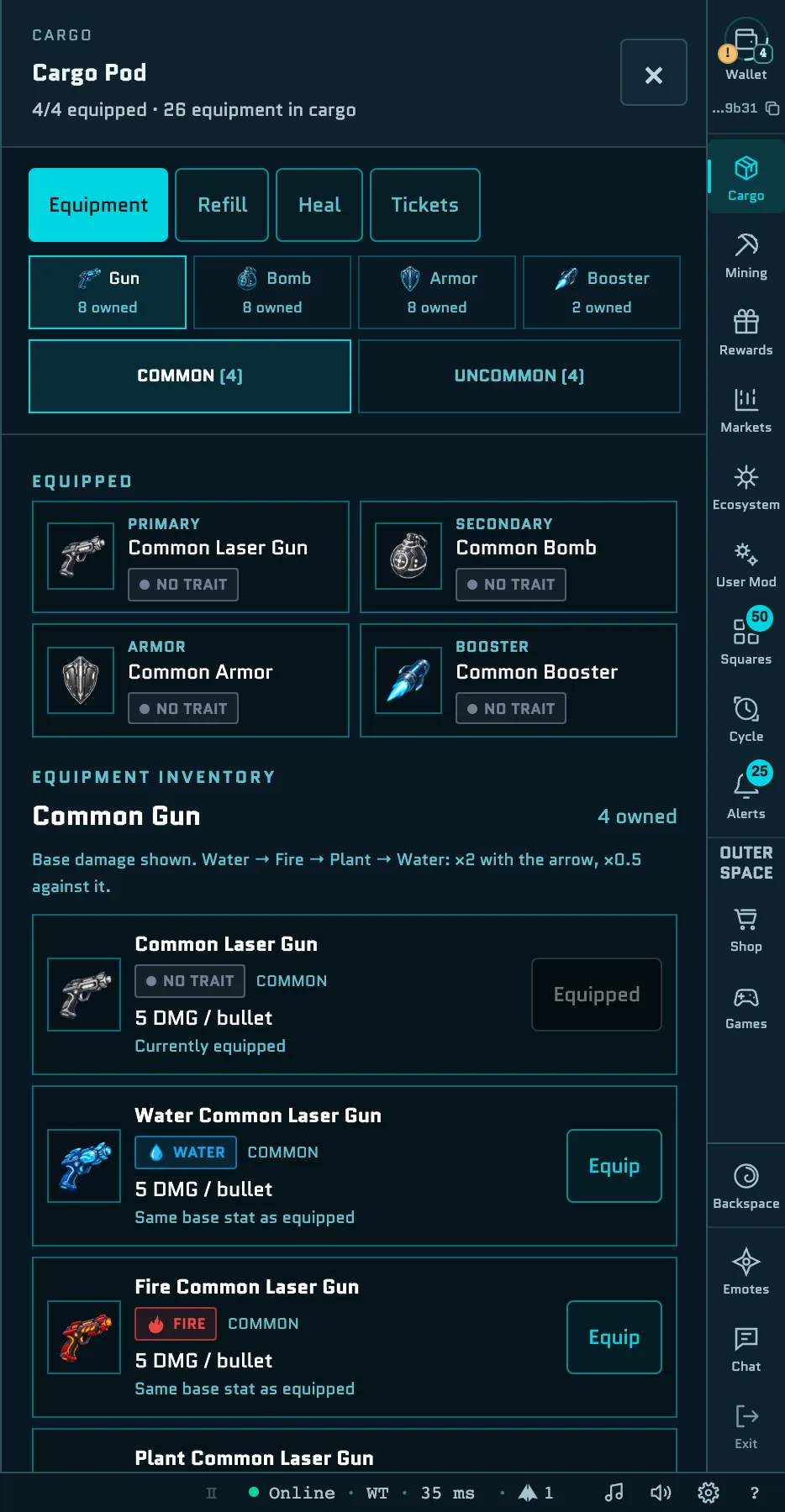
Press B, or open Cargo, to manage what you carry. It has four tabs:
- Equipment: your four equipped slots (Primary, Secondary, Armor and Booster) and everything else you own. Filter by Gun, Bomb, Armor or Booster and by tier, then select Equip. Each item shows its stats and how they compare with what you have equipped.
- Refill: use Bullet Ammo, Bomb Ammo and Booster Charges to top up your pools. Refills you pick up from Capsules and enemies land here too.
- Heal: use heals to restore HP.
- Tickets: Wormhole Travel, with your Wormhole Tickets and the wormholes you can travel between, and Game Ticket, with your Game Ticket balance.
When you run out of something, Cargo links you to that item in the Shop, such as Buy Heal 100.
Wormholes
Wormholes give you your own fast-travel network.
- Wormhole points. There are 17 fixed points: the Core and a North, South, East and West Gate on each of rings B to E, named like East Gate B or North Gate C. You can use the points inside the current map. Free points show as cyan rings, and yours are violet. When you're near a point, its name appears at the edge of the screen and the minimap.
- Deploy. Fly to a point and hold Space for 1.5 seconds to deploy your wormhole. Deploying is free, and you can have one at each point.
- Travel. Once you have at least two wormholes, hold Space on one of them to open its network. Choose a destination on the map or in the list and select GO. Each trip uses 1 Wormhole Ticket, and the button reads NO TICKET if you have none.
- From Cargo. You can also travel from Cargo → Tickets: select a departure wormhole within 100 units of your ship, then a destination.
- On the world map. Wormholes in the map's menu lists My wormholes and shows each one on the map.
- Lifetime. Only you can use your wormholes. They stay put if your ship goes down, and they're cleared when the Cycle ends.