Chat & Emotes
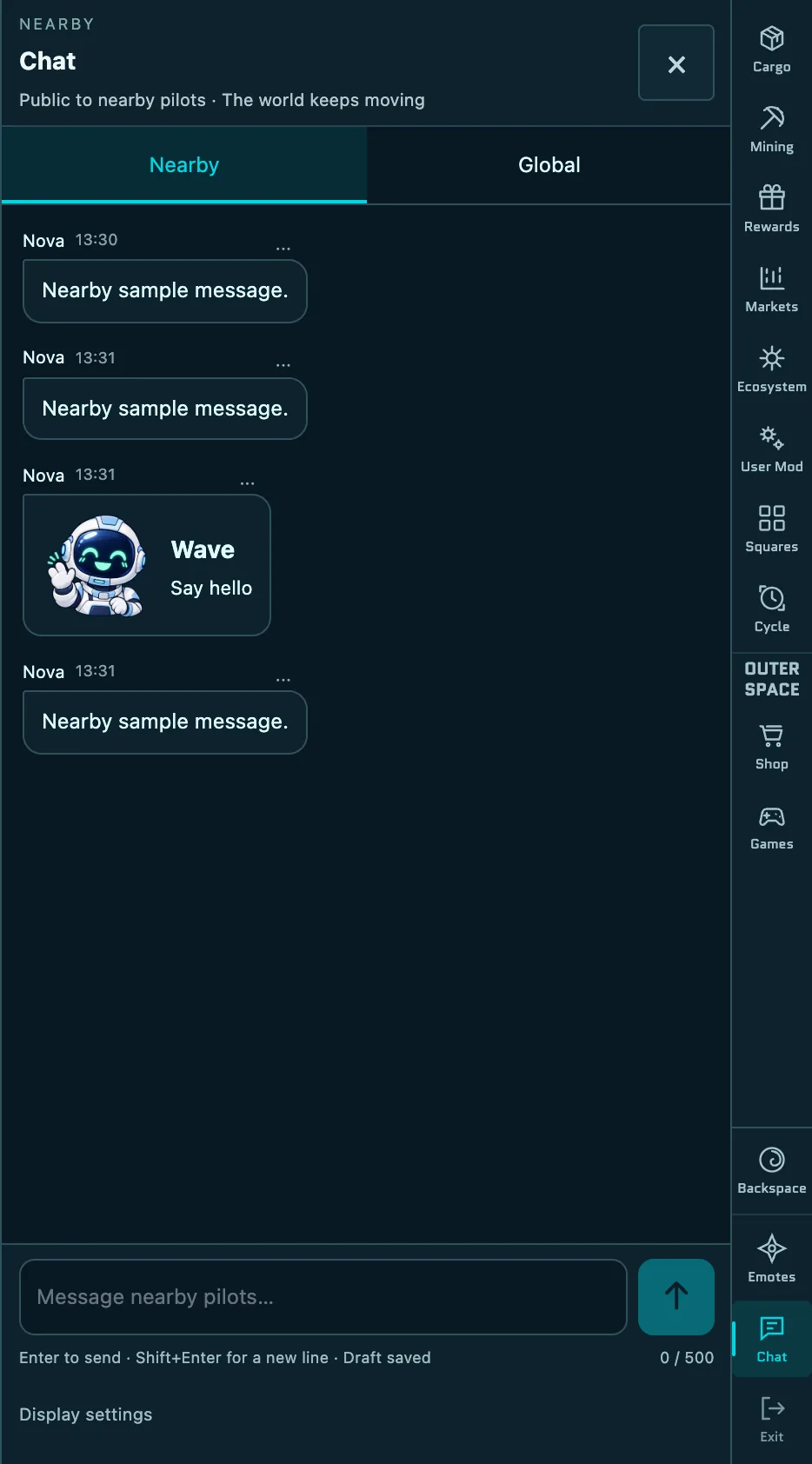
While you fly, you can talk to other pilots in Chat and react with Emotes. Your messages and emotes also appear above your ship, so pilots around you see them in the world.
Open chat
- Select Chat at the bottom of the menu on the right, or press Enter while flying. Press Esc to close it.
- Chat works only while you're flying in Outer Space. It isn't available on the world map, in Backspace, in the Square space, in User Mod or in the Cycle view, and it's hidden while you're inside a game.
- When chat is closed, the latest message shows as a preview at the bottom right of the screen. The Chat button shows how many messages you haven't read.
Nearby and Global
| Tab | Who sees your messages |
|---|---|
| Nearby | Pilots close to you. The tab keeps the messages from your current visit. |
| Global | Every pilot in Outer Space. When you connect, it loads the last 50 messages from the past 24 hours. |
Chat opens on Nearby. Each tab keeps its own draft and unread count. Whichever tab you use, a message you send appears above your ship for 5 seconds.
Send a message
- Type your message. While you type, your ship's controls pause, but the world keeps moving and you can still take damage.
- Press Enter to send. Press Shift+Enter for a new line.
- Messages can be up to 500 characters long.
- You can use letters, numbers, spaces, line breaks and
, . - _ ? : ! +. Emoji, links and web addresses aren't allowed. - You can send one message per second. The line under the message box shows Ready in with a countdown until you can send again.
- If a message fails to send, your draft is kept. Select Retry to send it again.
TIP
A word followed straight by a colon, such as HP:100, is treated like a link and blocked. Add a space: HP : 100.
Mute and display settings
- To stop seeing a pilot's messages, select ··· next to one of their messages to mute them. Muting lasts until you leave the game.
- Open Display settings in the chat panel to hide other pilots' messages above their ships, reduce motion or unmute pilots.
Emotes
There are five emotes:
| Emote | Meaning |
|---|---|
| Wave | Say hello |
| Heart | Send love and thanks |
| Surprise | Show your surprise |
| Clap | Nice job! Give a clap |
| Help | Ask for help |
- From the menu: select Emotes at the bottom of the menu on the right, choose an emote and select Send emote.
- Quick Emotes: press G to open the wheel, then press 1 to 5 for Wave, Heart, Surprise, Clap or Help. You can also use the arrow keys and Enter. Press G or Esc to close it.
- On touch screens: hold the Emotes button and drag to an emote.
Emotes go to nearby pilots and appear above your ship for 3 seconds. You can send one every 4 seconds.